
Clover For Professionals
Create Services Catalog
Customer Online Booking & Reminders
Employee & Services Mapping



Dashboard for Appointments
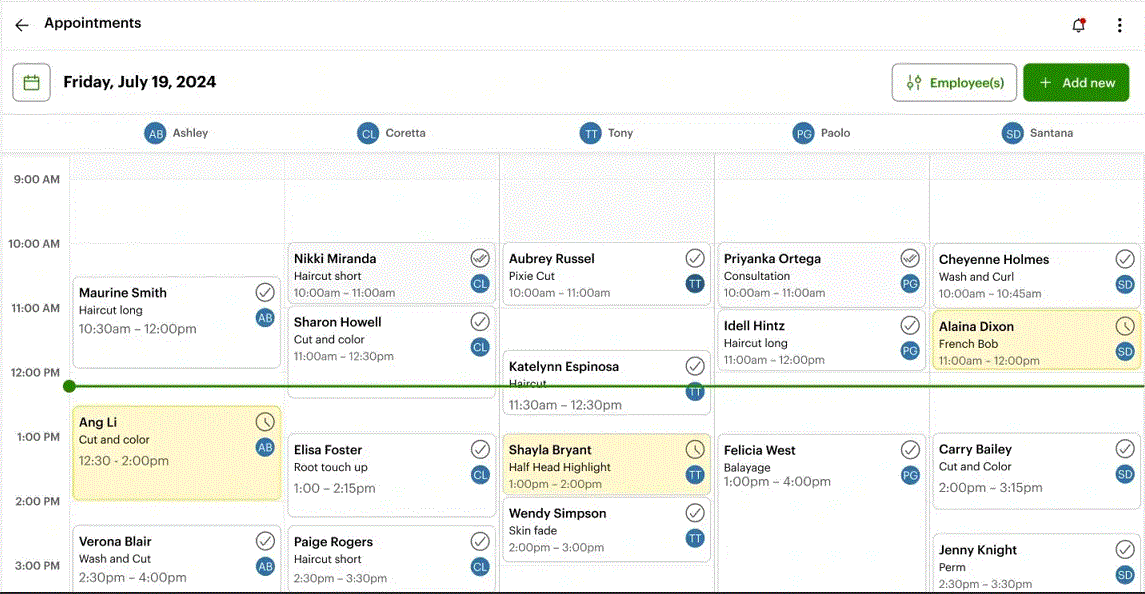
Keep appointments at your fingertips- Sort your reservations by date, time, or even by employee
Improve efficiency and accuracy- Reduce errors caused by manual booking
Update and Manage with ease- Use the intuitive interface to drag and drop changes
Maximize your bookings- Recognize capacities and easily see your openings to optimize your resources

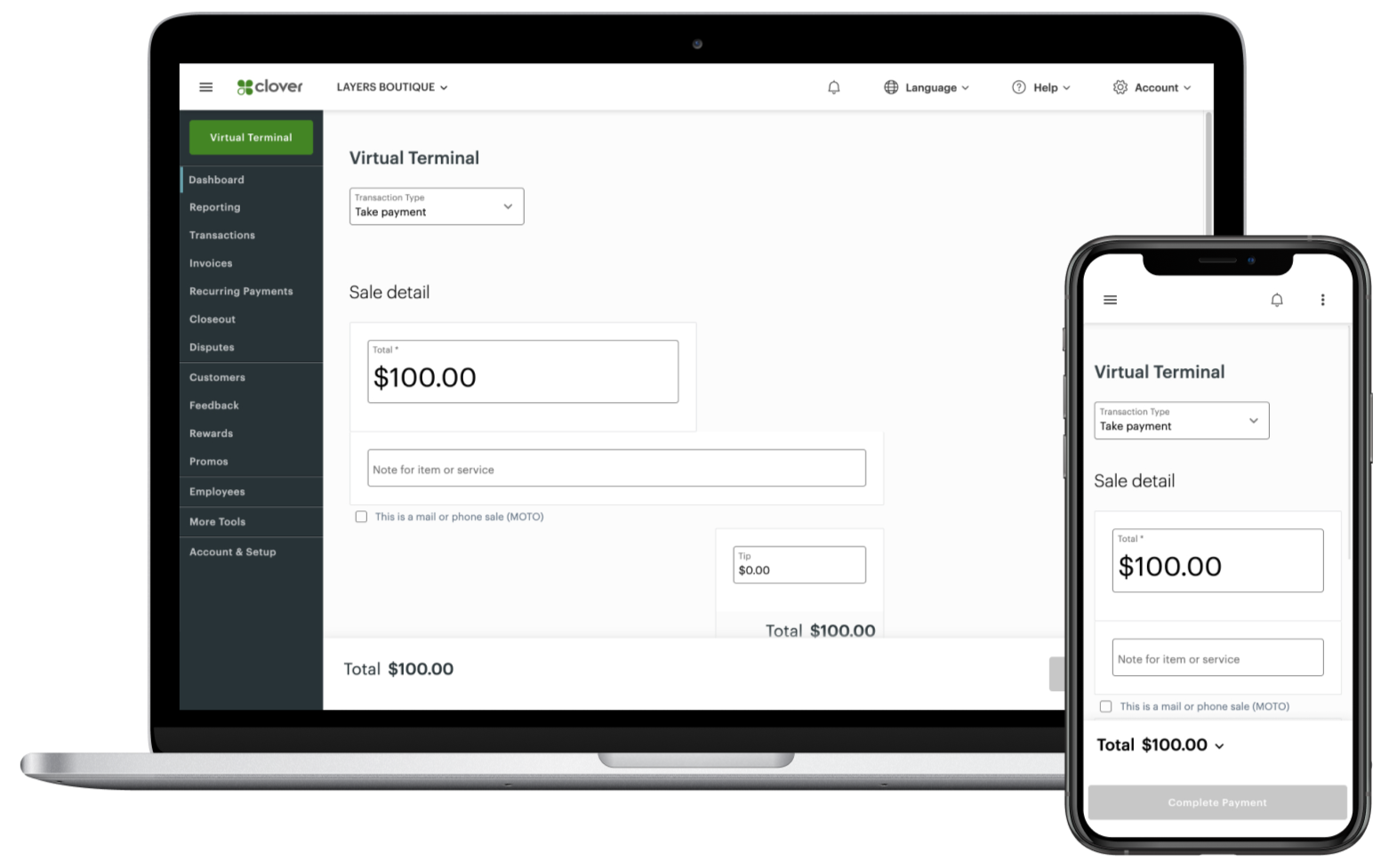
Virtual Payments
Offer flexible payment solutions that is not dependent on hardware.
Virtual Terminal:
✓ Send Digital Invoice
✓ Setup Subscription / Recurring Billing
✓ Send Payment Links
✓ Take Payments Over The Phone
✓ Add Payment Button to Website

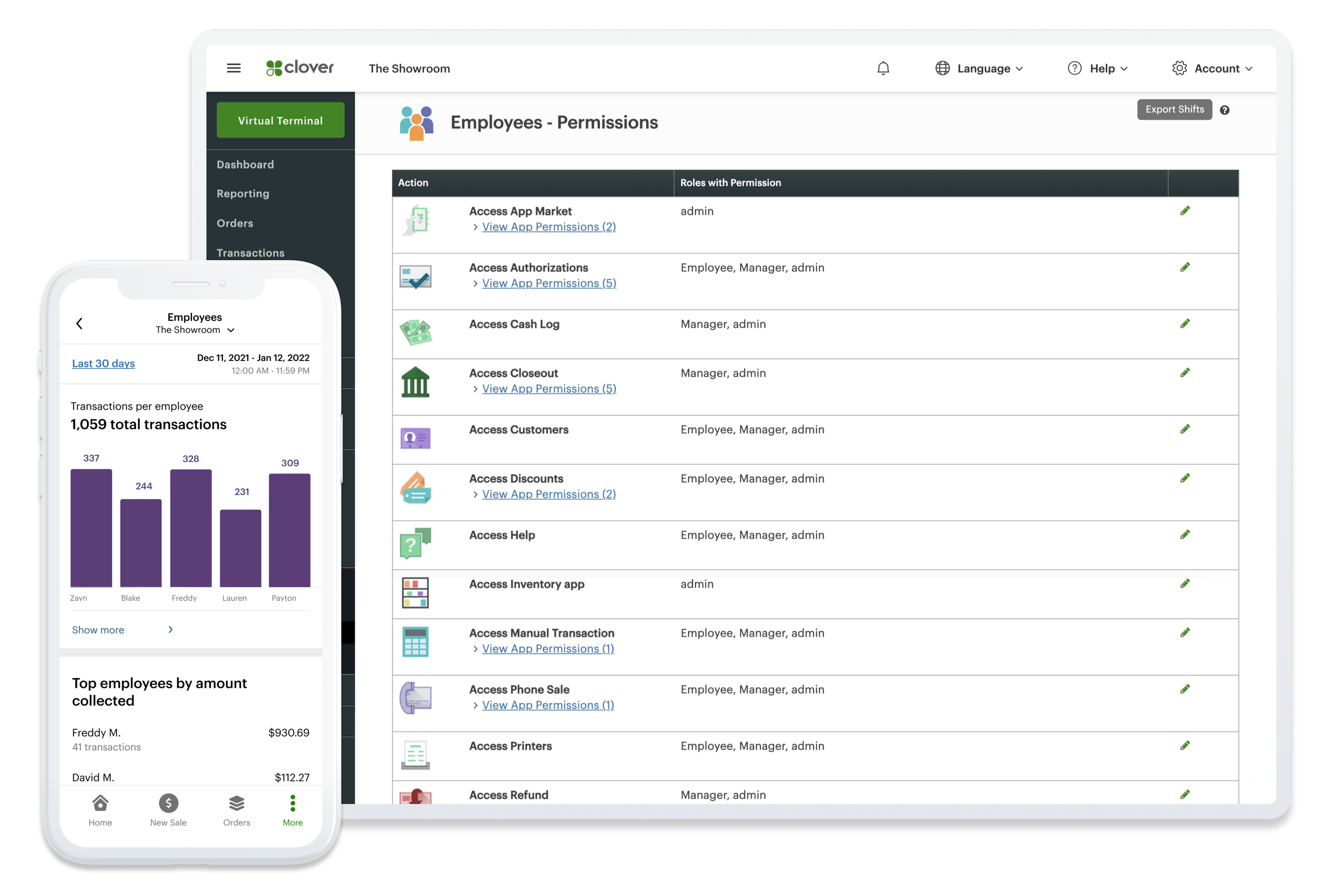
Employee Management
Identify top-performing employees, oversee Schedules and Timesheets, and configure system permissions to monitor your most valuable team members
Use apps for Payroll, Hiring, Accounting, etc. to help you do even more
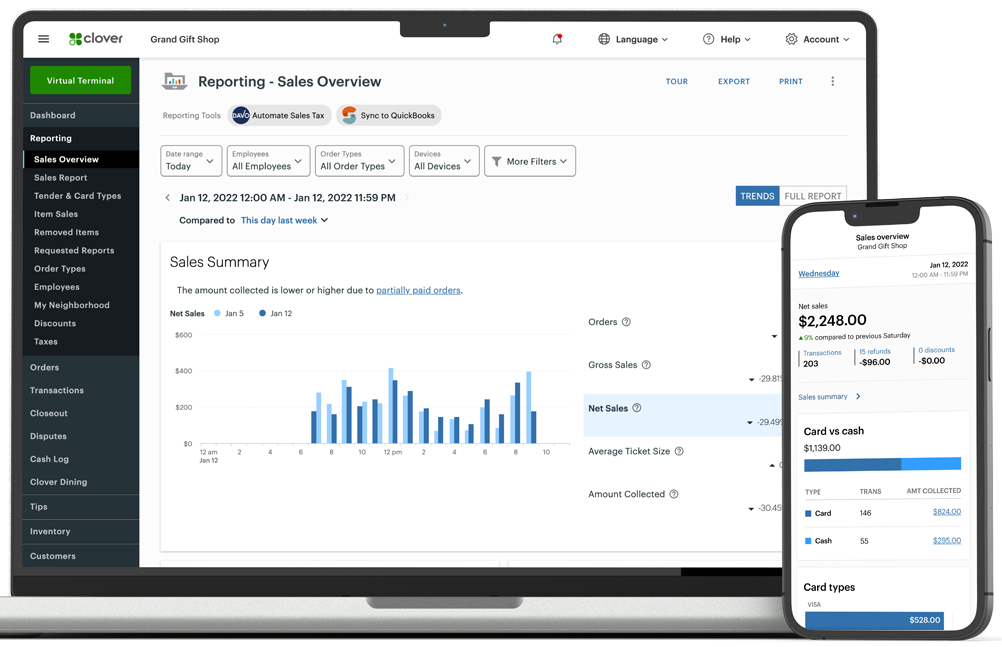
Revenue Report
Reporting and analytics drive your business forward. Curious about today’s performance or how it stacks up to the same day last week or last year? The answers are always available.
Product Managing
Keep your products organized and accessible with Categories, Labels, Modifiers and Variants that you control.


Serve Satisfaction with Rewards
Promotions with Purpose- Offer PROMO Codes and Rewards Program to acquire new clients and prosper the existing
Integrated Workflow- Expand services by staying in touch with your clients contact info. Build a list for upselling !
Applications & Tools to Streamline Your Operations

Clover integrates with 200+ apps including popular accounting, personnel, and payroll management software to help you track sales tax, pay your bills, run promos and more.
Software Plans
-
no fees for first device
$11.95/month for each additional device
Devices:
Flex
Flex-Pocket
Mini
Compact
Go
Starter Features:
Virtual Terminal
E-Commerce Products
Developer Tools
Invoicing
Transaction Reports
Sales Tax Calculation
-
no extra for first device
$11.95/month for each additional device
Devices:
Station Solo
Station Duo
Flex
Flex-Pocket
Mini
Go
Includes Starter Features, Plus:
Basic Order Management
Basic Inventory Management
Customer Engagement (Loyalty)
Advanced Reporting
-
$19.95/month for each additional device
Devices:
Station Solo
Station Duo
Flex
Flex-Pocket
Mini
Includes Essential Features, Plus:
Appointment Scheduling & Management
Online Customer Booking with Reminders
Catalog for Services offered
Employee Mapping
Services Mapping
Please Note: Clover directly bills the merchant an additional monthly $10 per merchant account.
Clover may alter, increase or change their prices fee from time to time. Prosper has no control over the changes made by Clover.

Leverage management tools, streamline payments, and boost efficiency all with exceptional experience
Smart Tech

Unbox, Follow Instructions, Power it on, Connect to internet, Load Receipt Paper, Activate your account, and Collect payments
Simple Setup

Clover’s all-in-one POS solution is designed to fit your business—be it a restaurant, fashion store, or pet grooming service
Versatile Use

Get expert help anytime with support that keeps your business operations intact
Tech Support

- For business that needs a countertop payment terminal
- Accepts chip, tap, swipe
- Built-in thermal Receipt Printer

- Full POS power in your hand
- Portable smart terminal
- Built-in receipt printer
- Buit-in Camera + Barcode scanner

- Collect payments on-the-go
- Pairs with your smartphone
- Accepts chip, tap, swipe
- Digital Receipts

- Compact countertop device
- For businesses with limited space
- Accepts all payment types
- Integrates with Cash drawer and Scanner
Clover Compact
Optional Countertop Terminal

A Simple Payment Device with Dual Pricing for Cash and Card
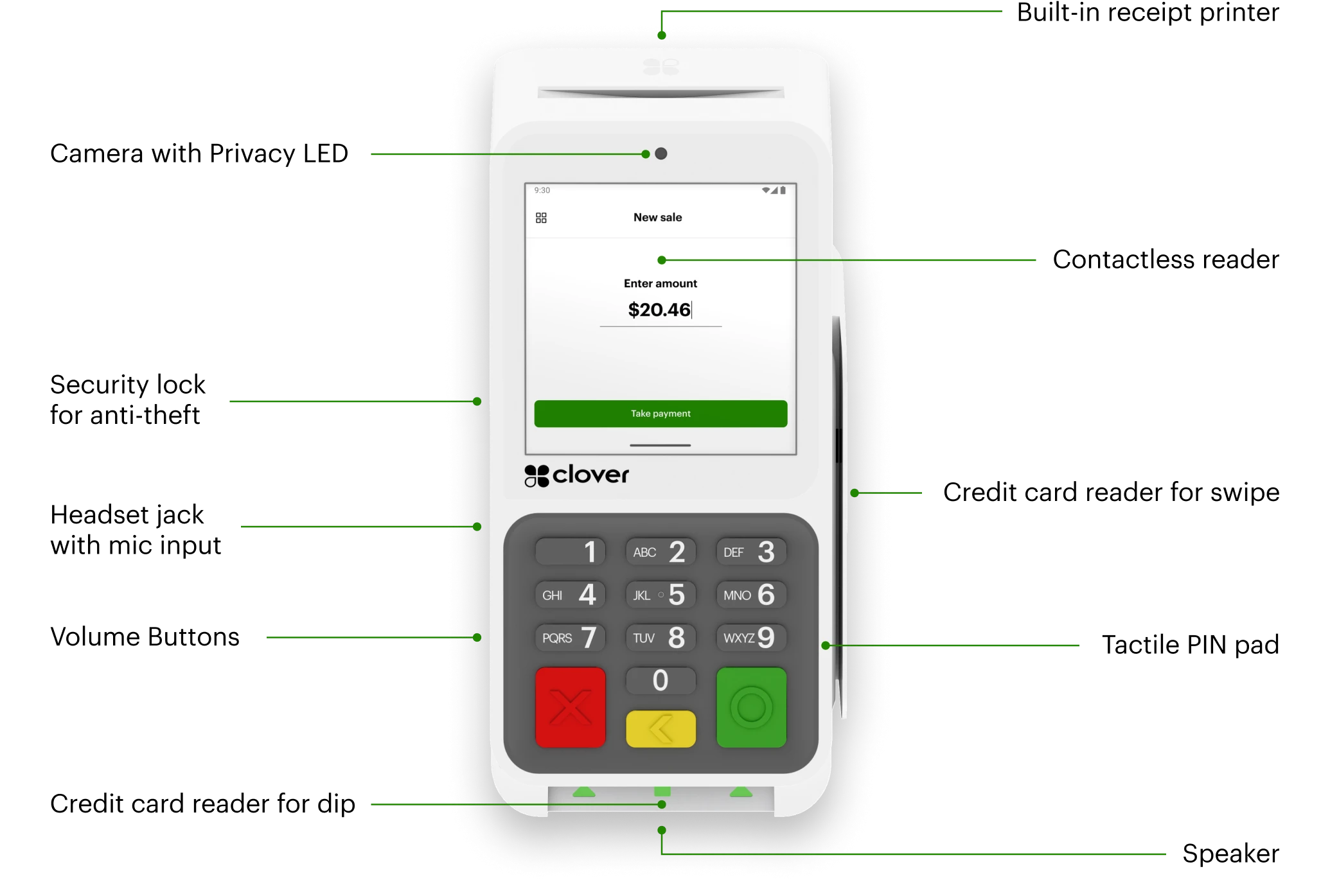
Debit, credit, and contactless payments, including gift card transactions
Protected against splashes and built to last with chemically strengthened glass, multi-touch surface, and a scratch and fingerprint-resistant screen
Rapid Deposits- Access your funds same/next day
3.6” Touchscreen with Wi-Fi, Ethernet, and LTE connectivity
Clover For